Address
Work Hours
Address
Work Hours

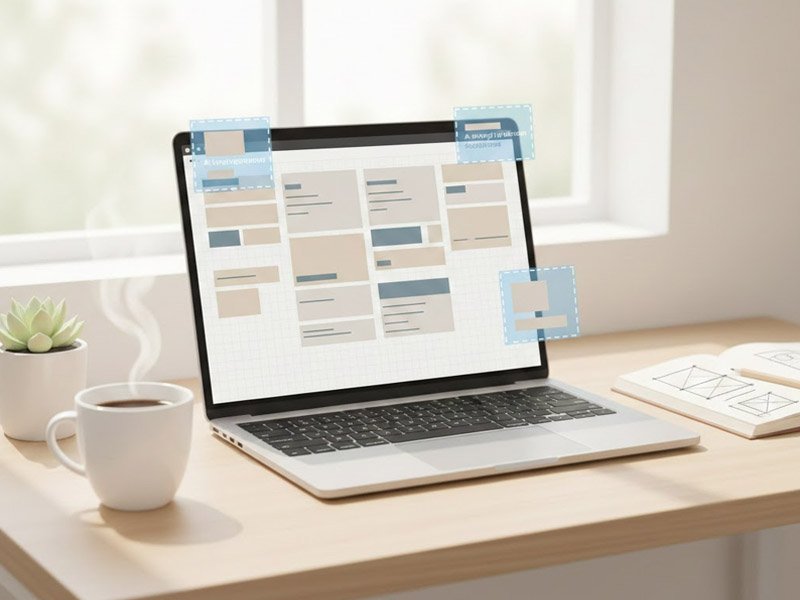
Figma AI for beginners removes the frustration of starting from a blank screen by giving structured layout ideas and visual direction. This post explores how it simplifies the design process, reduces overwhelm, and helps first-time designers build confidence faster through clear AI-powered workflows.
Figma AI for beginners can completely change how you experience design — especially if you usually feel stuck, overwhelmed, or unsure where to start.
Design can create a very specific kind of frustration—one that’s emotional as much as it is practical.
You sit down to create a layout, and suddenly nothing feels right.
Every section looks off.
Spacing feels wrong.
The page feels crowded and empty at the same time.
This is why Figma AI for beginners is becoming such a helpful entry point for people who feel overwhelmed by design tools.
You adjust something… and it somehow looks worse.
Many beginners describe the feeling as:
“I know what I want in my head, but I can’t get it onto the screen.”
This moment—where creativity meets uncertainty—is where overwhelm begins.
Instead of struggling through complex menus, Figma AI for beginners helps simplify decisions and lowers the learning curve dramatically.
Figma AI helps soften that moment.
It gives beginners a clearer starting point, a visual direction, and a sense of forward motion when everything feels stuck or confusing.
This guide explains how it works within a simple workflow and why it helps people feel less lost when creating their first designs.
When you’re not a designer, layout work can feel deeply personal.
You want your page to look clean, confident, and professional—but when it doesn’t, it’s easy to internalize the frustration:
“Maybe I’m just not creative…”
“Why does mine look messy?”
“Why can’t I make something that feels right?”
It’s not just about design—it’s about confidence.
Blank screens amplify self-doubt.
Too many choices create paralysis.
And messy drafts can drain motivation before real progress even begins.
People often spend more time feeling stuck than actually designing.
This emotional weight is exactly what a tool like Figma AI helps lighten.
Beginners tend to work best with a straightforward structure:
Idea → Structure → Layout → Visuals → Build → Publish
Nothing complicated.
Just a clean loop.
Figma AI fits naturally into the layout stage.
It gives you something to react to instead of guessing from scratch.
When the workflow is clear, design stops feeling like an endless guessing game and starts feeling like a manageable sequence of steps.
Figma AI helps by turning ideas into visual layouts quickly, giving you a starting point that feels:
• cleaner
• clearer
• more structured
• easier to adjust
• easier to understand visually
It doesn’t make you a designer—it simply removes the hardest, most emotional step:
The fear of getting started.
Figma AI helps you feel capable sooner, because seeing something on the screen—even if it’s not perfect—makes everything else feel more doable.
Use Case: Turning “I Can’t Make This Look Right” Into a Finished Hero Section
The hero section is one of the most emotionally frustrating parts of web design.
It’s the first thing people see—and for beginners, it’s also the easiest place to feel inadequate.
People describe struggling with:
• text size
• visual balance
• choosing where the image goes
• button placement
• spacing that never looks right
Here’s how Figma AI helps:
You describe the hero you want:
“Create a clean hero section with a headline, subheadline, call-to-action button, and an image on the right.”
Then Figma AI instantly gives you several structured versions.
The emotional shift is immediate—
instead of seeing a blank screen that whispers “you don’t know how to design”
you now see real possibilities.
You can adjust spacing, try different text weights, add color, move elements around, and refine the layout until it feels like something you’re proud of.
Seeing a finished-looking structure makes you feel capable.
That’s the real value—not just the layout, but how it changes your confidence.
Beginners tend to get unstuck as soon as they have something visual to work with.
Figma AI gives them that starting point, so they spend less time questioning their abilities and more time shaping a layout they understand.
The emotional shift is consistent:
AI lowers the pressure, not by replacing creativity, but by giving it direction.
No.
Many people use alternatives depending on their comfort:
• Framer
• Wix Studio
• Webflow AI features
• Adobe XD
• Sketch
Each tool can fill the same “layout” portion of the workflow.
The system stays the same—only the tool changes.
Future posts will break down these alternatives and how they can fit into different design styles.
The power is in the workflow:
Idea → Structure → Layout → Visuals → Build → Publish
Figma AI simply fills the “layout” role.
If you ever switch tools, the system still works.
This keeps your process flexible, sustainable, and beginner-friendly.
Another reason beginners connect strongly with Figma AI is that it shortens the distance between idea and result. Instead of staring at tools they don’t understand, they interact with suggestions they can learn from. Over time, this builds familiarity with layout principles, spacing, and hierarchy. What starts as AI assistance slowly becomes real design intuition — which is exactly what most beginners are actually looking for.
Overall, Figma AI for beginners removes unnecessary friction and makes design feel more like exploration than frustration.
Explore more visual and workflow tools → click here